CLU — a personal coordinator that lives in Telegram
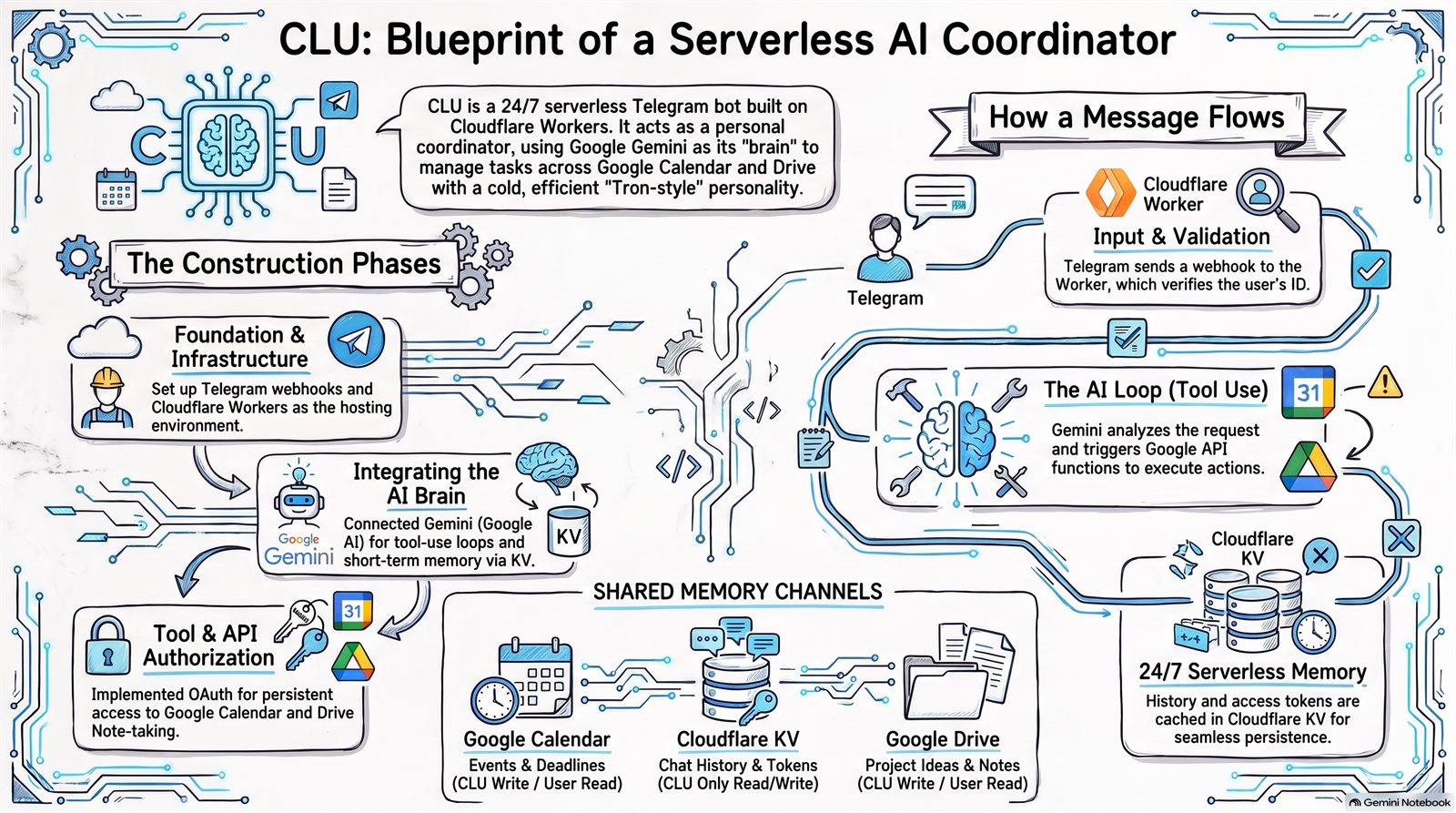
Can I have a personal coordinator that lives in Telegram and keeps its memory in tools I already own — Google Calendar and Drive — instead of a database I'd have to provision, secure and back up forever?
The AI call was never the hard part. The hard part is durable memory without new storage, and the answer was to stop thinking of memory as a database and start thinking of it as a shared environment: CLU writes to Calendar and Drive, and my desktop tooling reads the same places. No file transfer, no sync layer. Also learned the unglamorous way that what you documented and what you deployed drift apart silently — and only a written audit catches it.
Not stopped — running, phases 0 through 6, for about a dollar or three a month. What's deliberately deferred is the model swap: it runs on Gemini today, and moving it is a single-file job whenever there's a reason to.
CLU is a small agent you talk to inside Telegram. Behind the chat window sits a Cloudflare Worker — code that runs on demand at the network edge, with no server for me to keep alive — wired to Google Calendar and Google Drive.
The personality is deliberate: cold, terse, efficient. A Tron-flavoured operator, not a chirpy assistant. It executes, confirms, reports, in one to three lines. That tone is a design decision — a coordinator should feel like a control surface, not a friend.
The constraint that shaped everything
Most "build an assistant" tutorials reach for a database. I didn't want one. A database is a thing you provision, secure, and back up forever, and I'd be maintaining it long after the novelty wore off.
Use the tools I already live in as the memory.
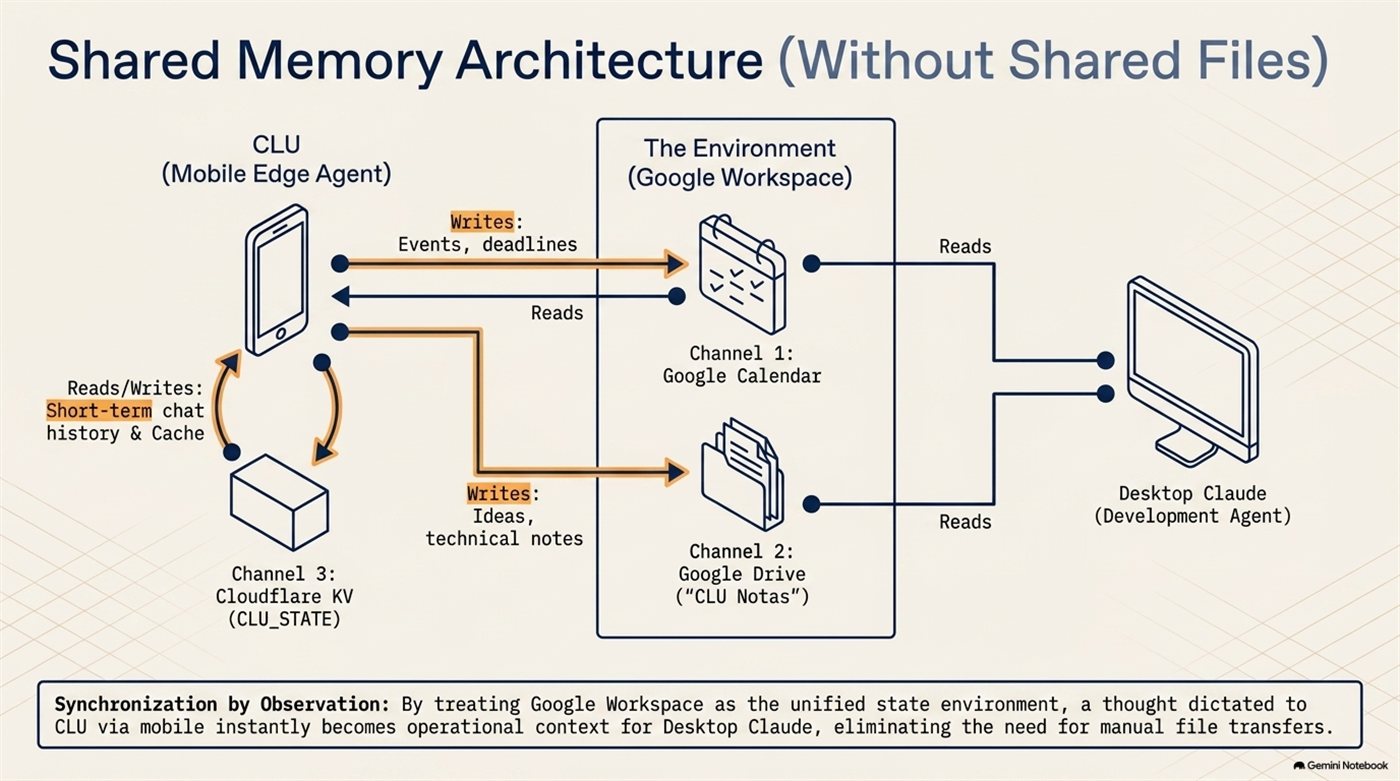
That's the part I'd repeat on any future project. A thought dictated into my phone becomes context on my desktop with no file transfer, no export step, and no integration between the two agents — because they aren't integrated. They just observe the same environment.
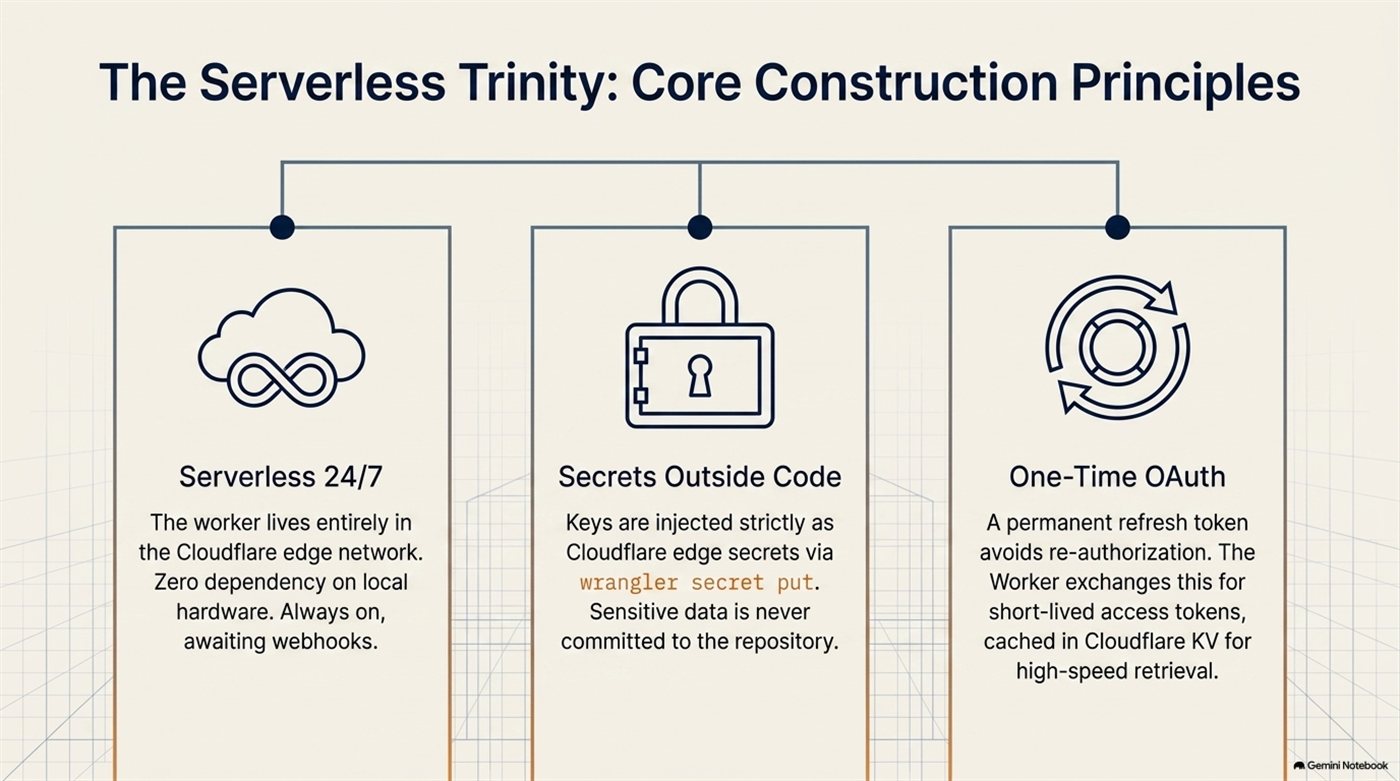
Three principles it's built on
How a message actually travels
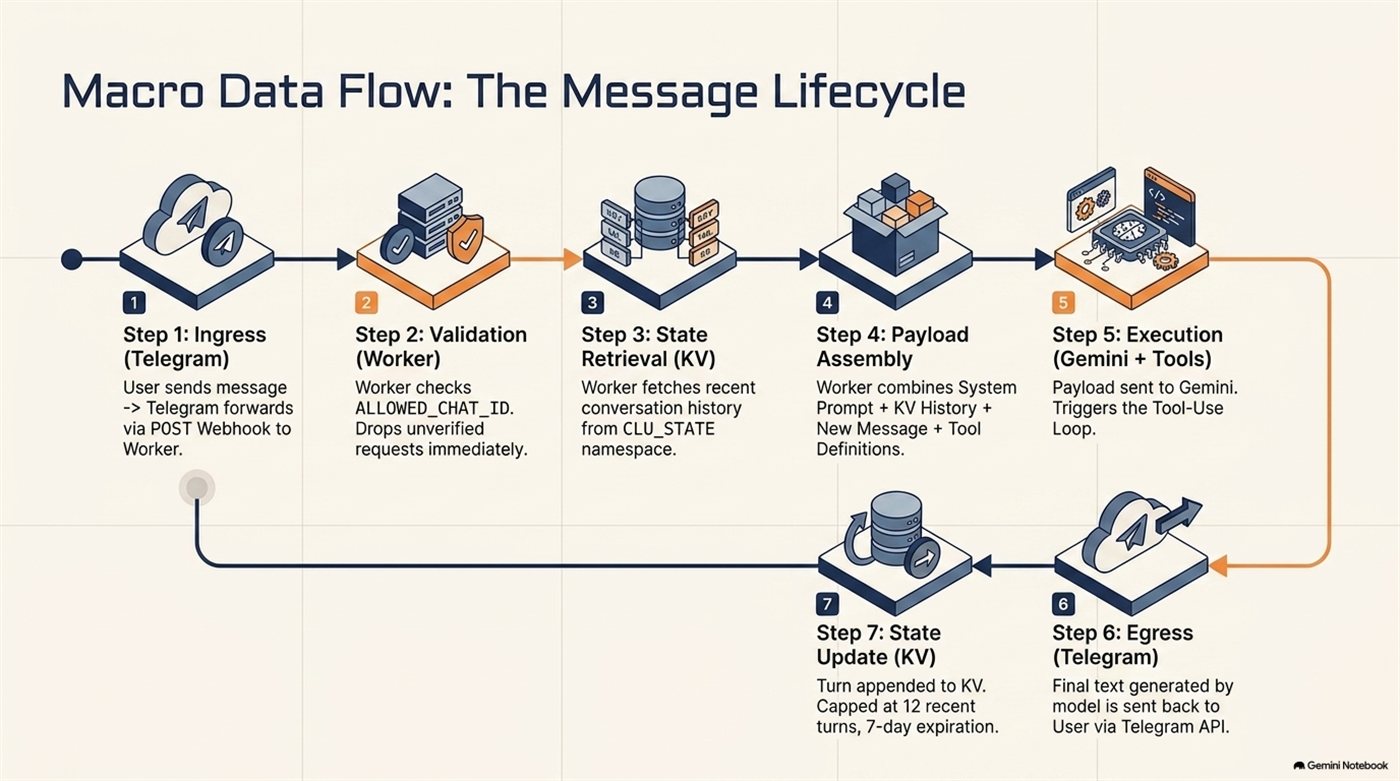
The validation step is worth pausing on. A public webhook endpoint is exactly that — public. Without an allow-list check as the very first thing the Worker does, anyone who found the URL would be talking to my calendar.
The loop that makes it an agent rather than a chatbot
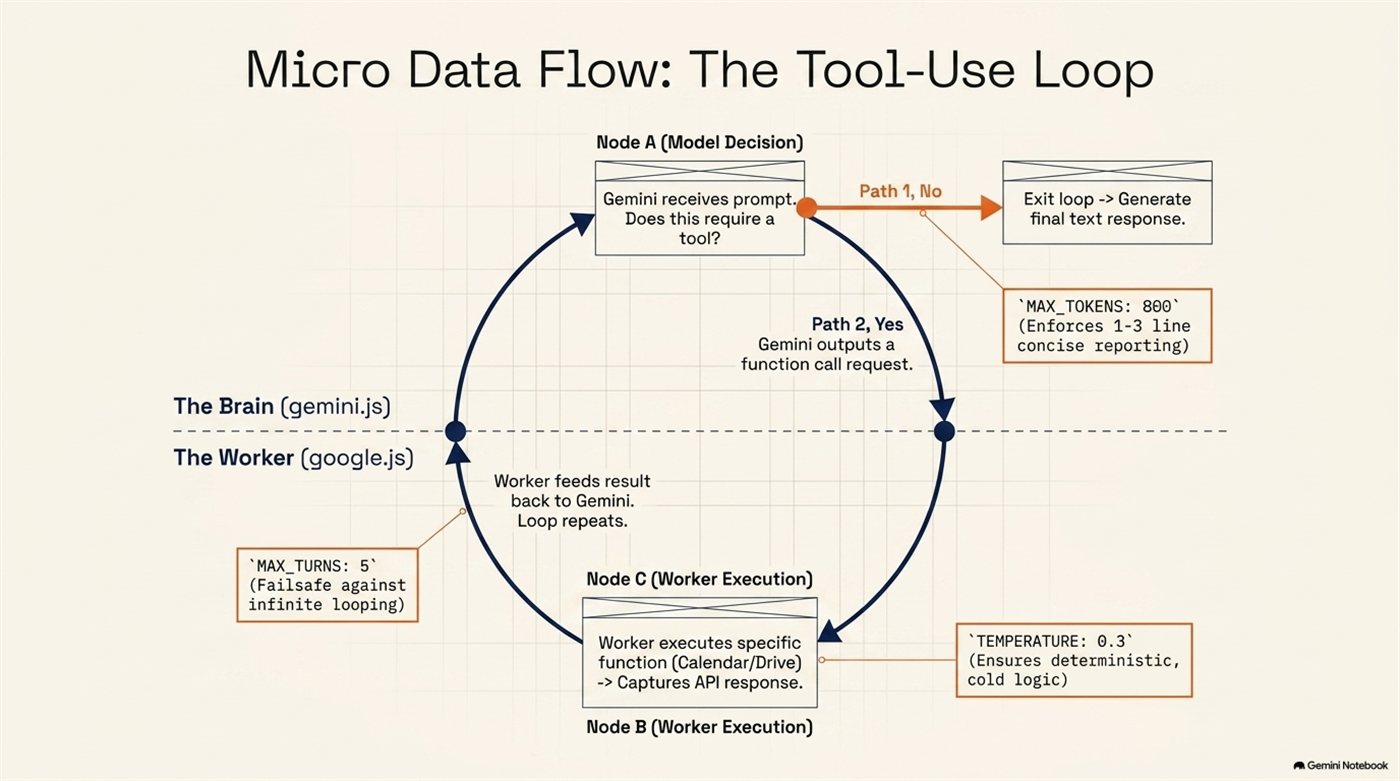
Those three numbers are the personality, as much as the prompt is. A high temperature and an uncapped response would produce a chatty assistant no matter what the instructions said.
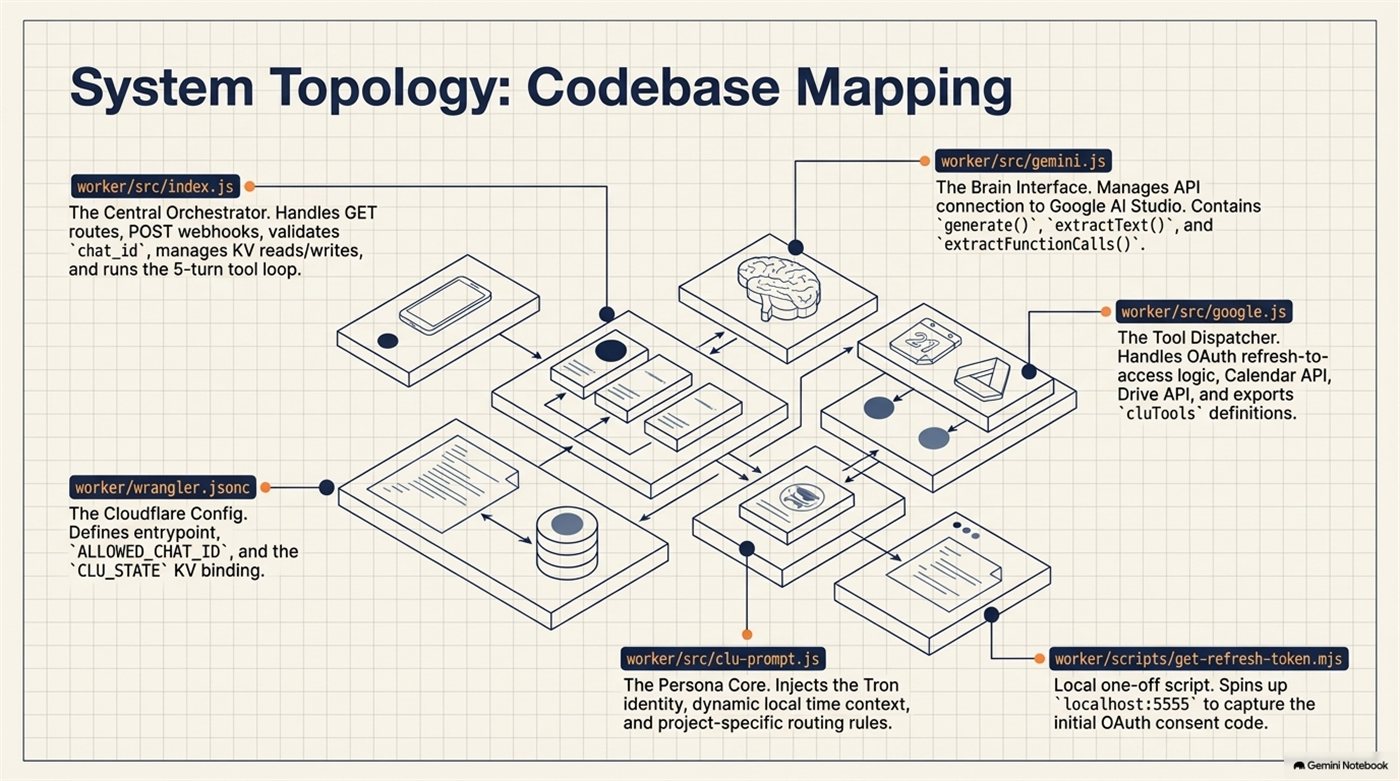
What the code is
The audit that caught me out
Here's the part I didn't plan to write, and the reason this entry got rewritten.
Documenting the system properly turned up a gap between what I'd written down and what was actually deployed — and this entry had been repeating the wrong version publicly.
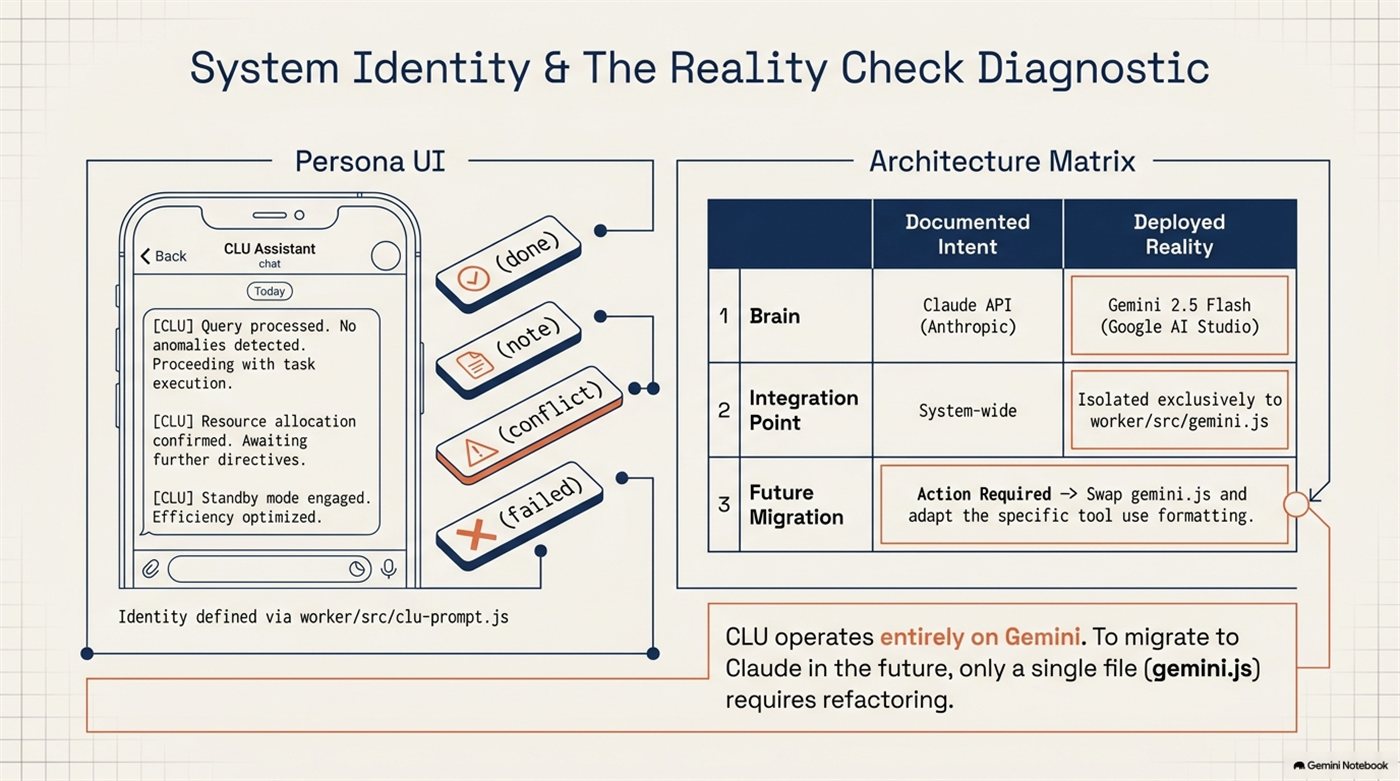
CLU runs on Gemini 2.5 Flash. My architecture notes — and the earlier version of this post — said Anthropic's Claude, because that was the plan when I wrote them. The code went one way, the documentation stayed where it was, and nothing forced the two to meet.
I only caught it because building this technical reference meant checking every claim against the source. The fix took one line; finding it took an audit.
Two things I take from that:
- Documentation rots silently. It doesn't throw an error. It just quietly becomes fiction, and then you publish it.
- The isolation saved me. Because every model call lives in exactly one file, this is a one-file swap rather than an archaeology project. That wasn't foresight about this problem, but keeping the external dependency behind a single boundary paid for itself anyway.
How it got built, and what it costs
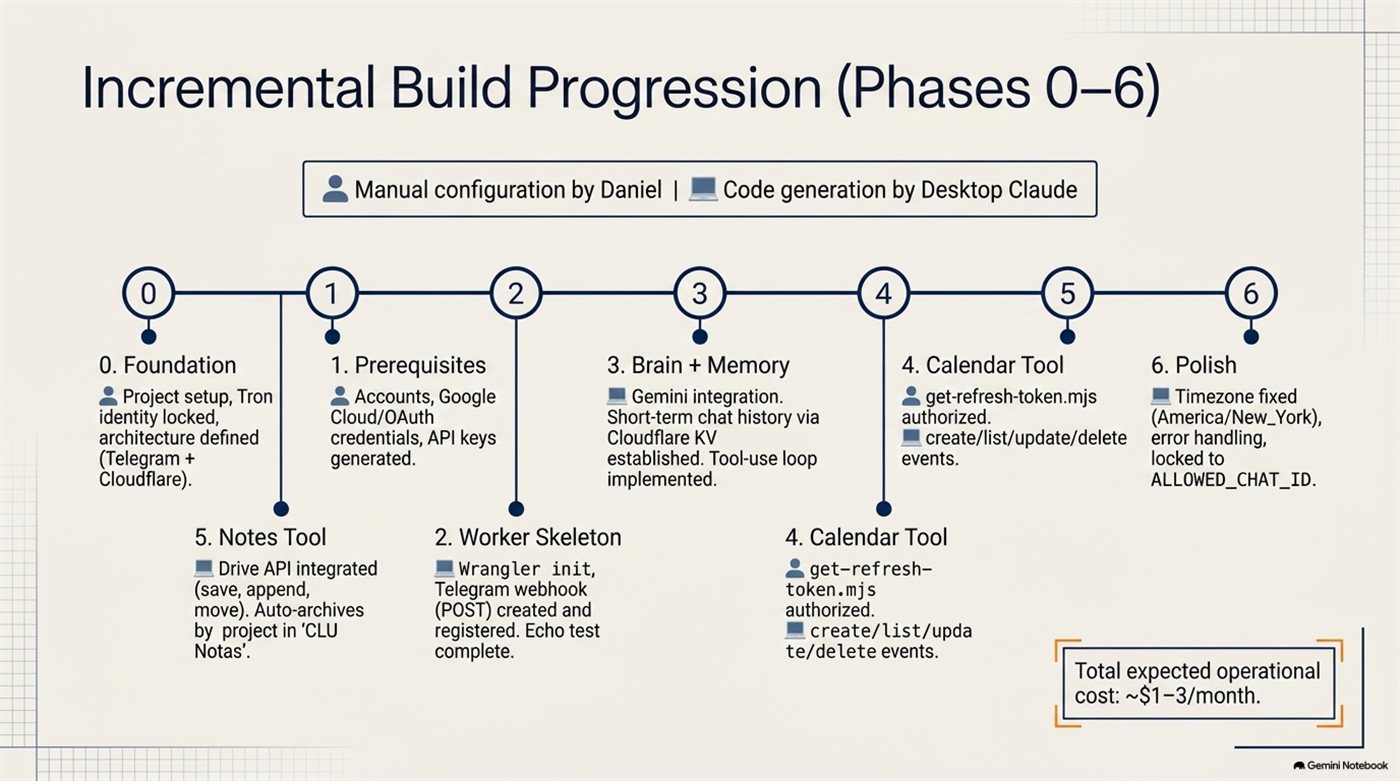
Total running cost is roughly one to three dollars a month. That's the whole argument for this shape of project. There's no server sitting idle, no database on a monthly plan, no platform subscription — the Worker only costs anything in the instants it's actually running, which for a personal coordinator is a few seconds a day.
Operating it
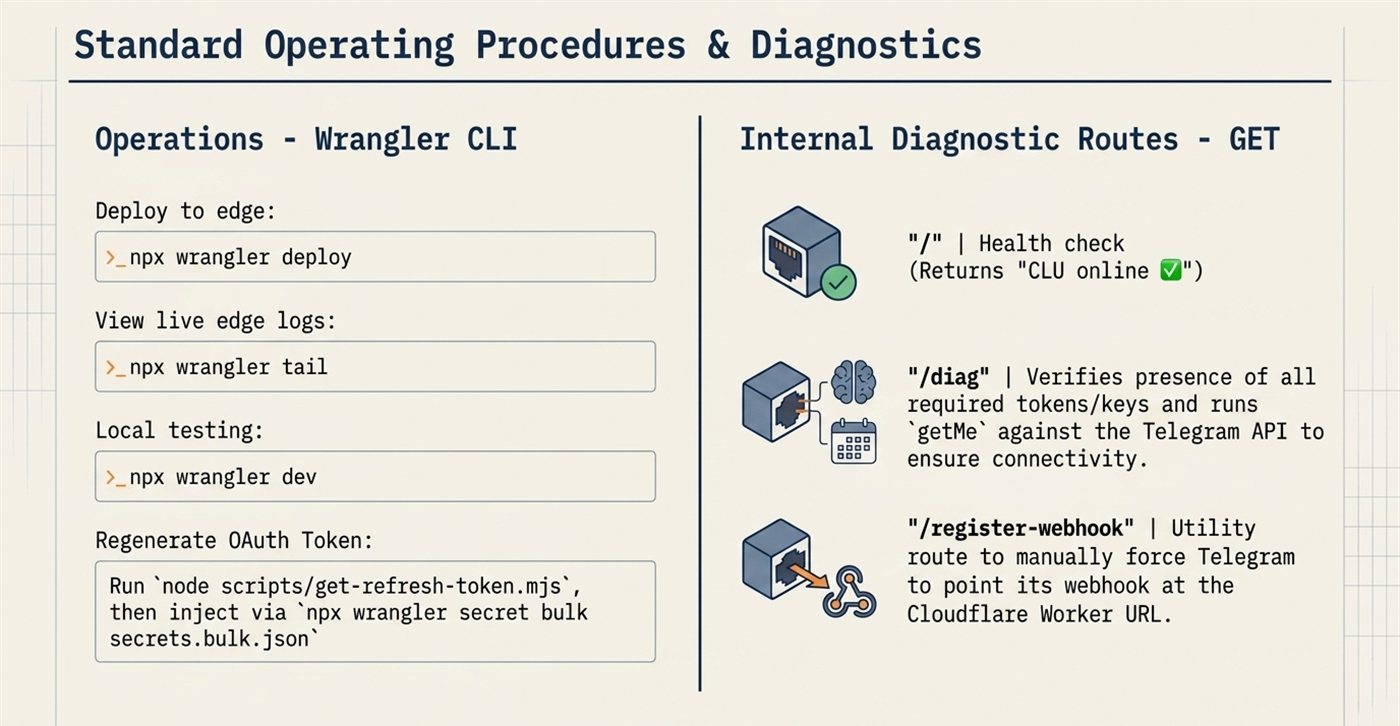
The diagnostic routes are there because of how this fails. When something breaks in a serverless agent, the symptom is almost always the same — nothing happens — and without a route that tells you which credential is missing, you're guessing.
Why it's in the log
This is exactly the kind of thing I build to "it works" and then keep using. It's been running quietly since, coordinating actual work, for the price of a coffee a quarter.
And it earned its place twice: once as a working tool, and once as the project that taught me documentation drifts from reality unless something makes them meet.